Tenjin

A media server that is yours: own libraries, own user management, optional relay for access from anywhere.

Version 0.1.0 · In development

Windows · macOS · Linux · Android · Android TV · Fire TV

Tenjin desktop client: start page with continue-watching row and libraries
Design preview · mockups until real screenshots are available

Home and library

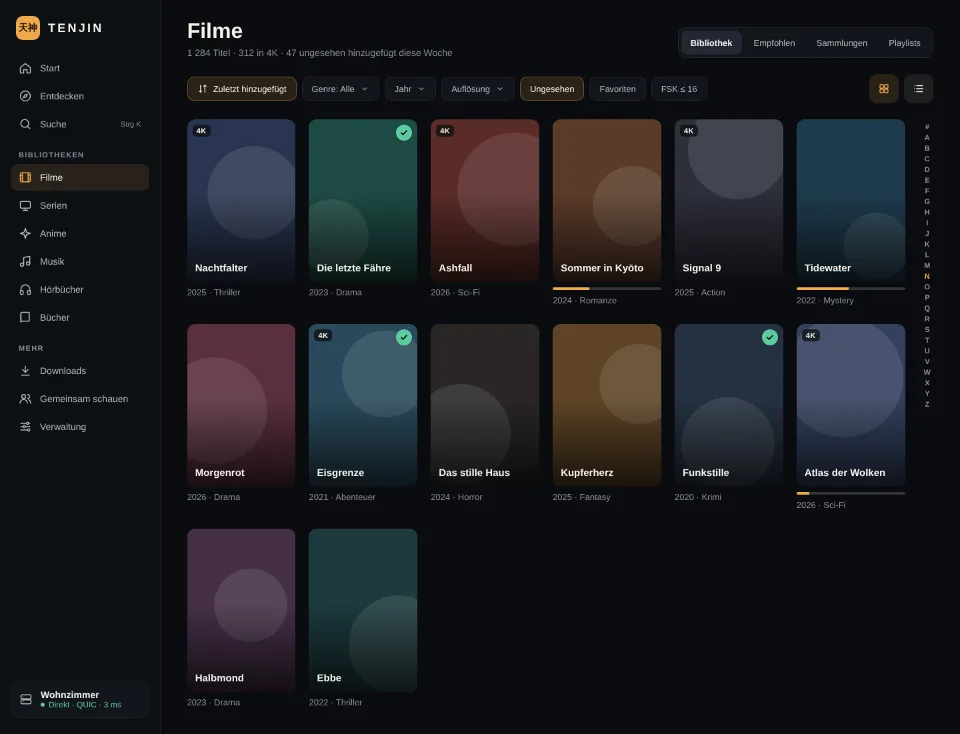
The home page shows what continues in sync across all devices, new titles per library and a hero with a trailer. Libraries have exactly one type (movies, series, anime, music, audiobooks, books) and any number of folders; the grid filters and sorts, watched markers and progress live inside the poster.
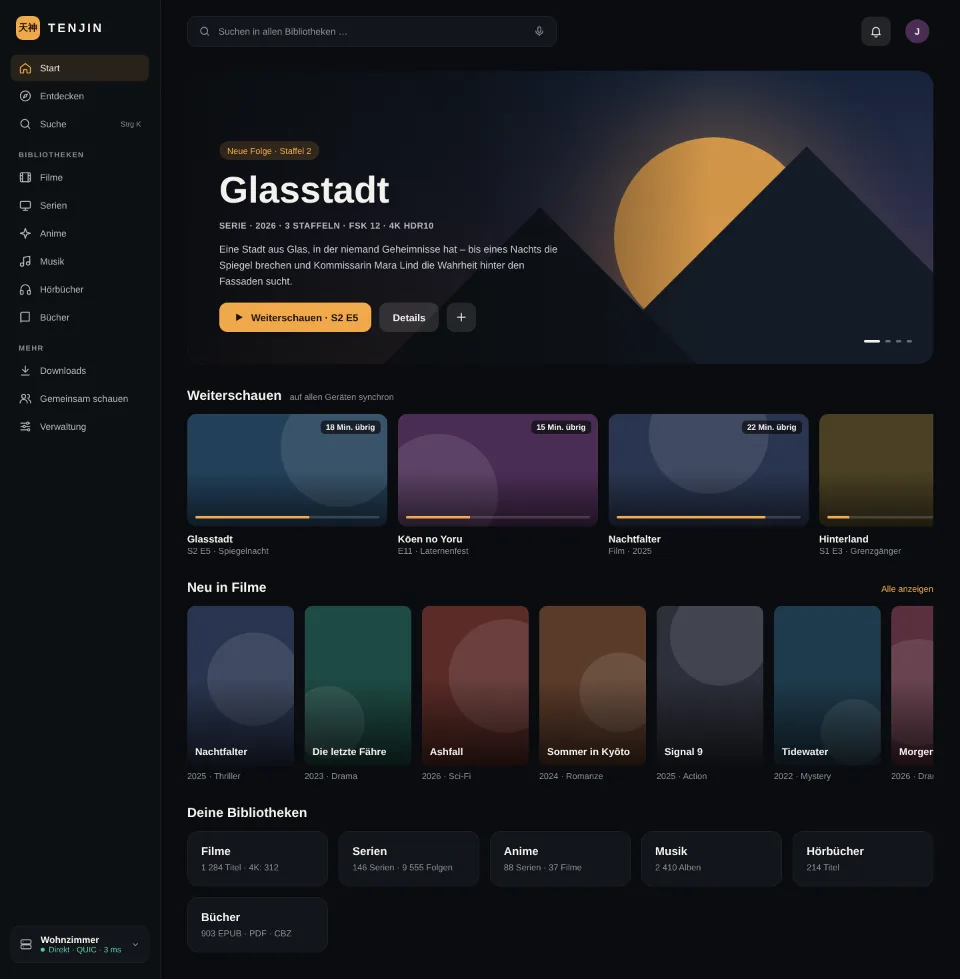
Tenjin home page on desktop: sidebar with libraries, hero for the series Glasstadt, continue-watching row
Design previewHome with hero and “Continue watching” row
Library view with filter and sort bar and a grid of posters
Design previewLibrary with filters and poster grid

Movie and series detail with track selection

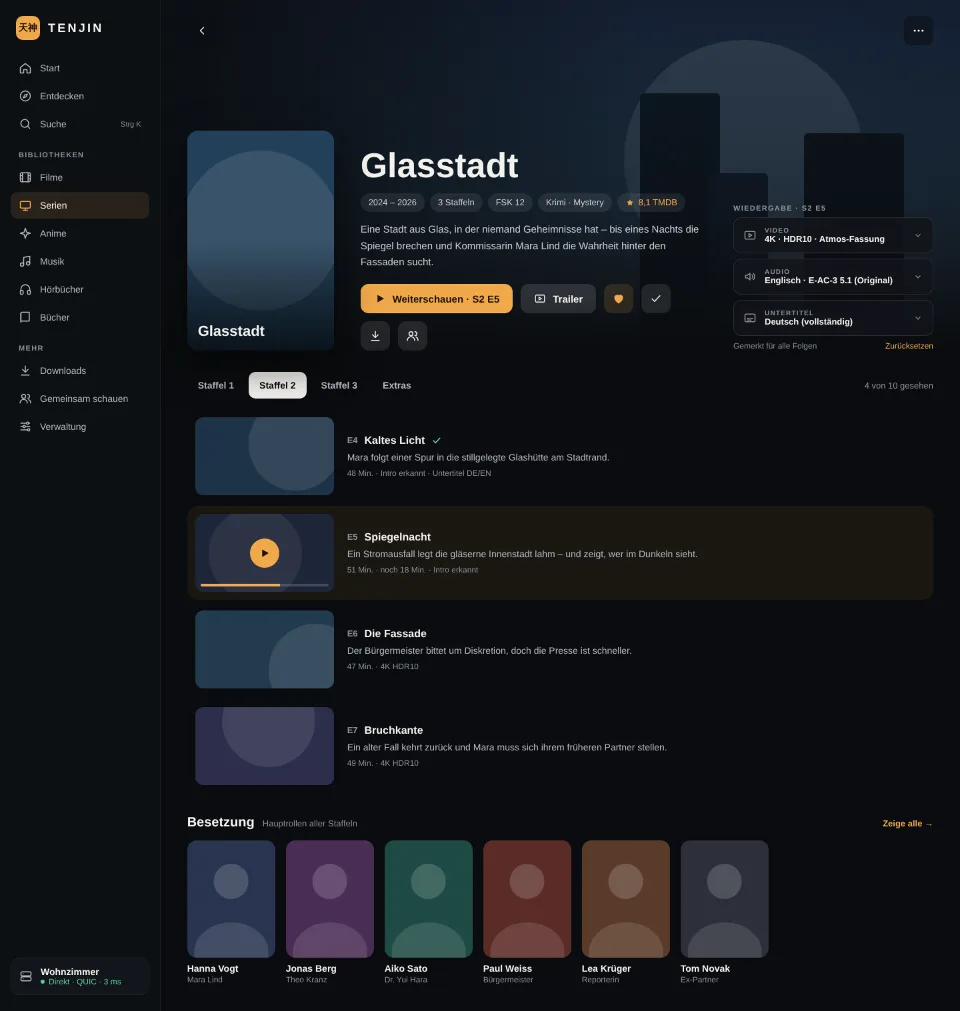
Cast, chapters, trailers and separate selection of video, audio and subtitle track before playback starts. A pill shows whether direct play is possible or a remux or transcode is required. For series the track choice applies to all episodes, seasons are tabs, episodes without their own image get the season's.
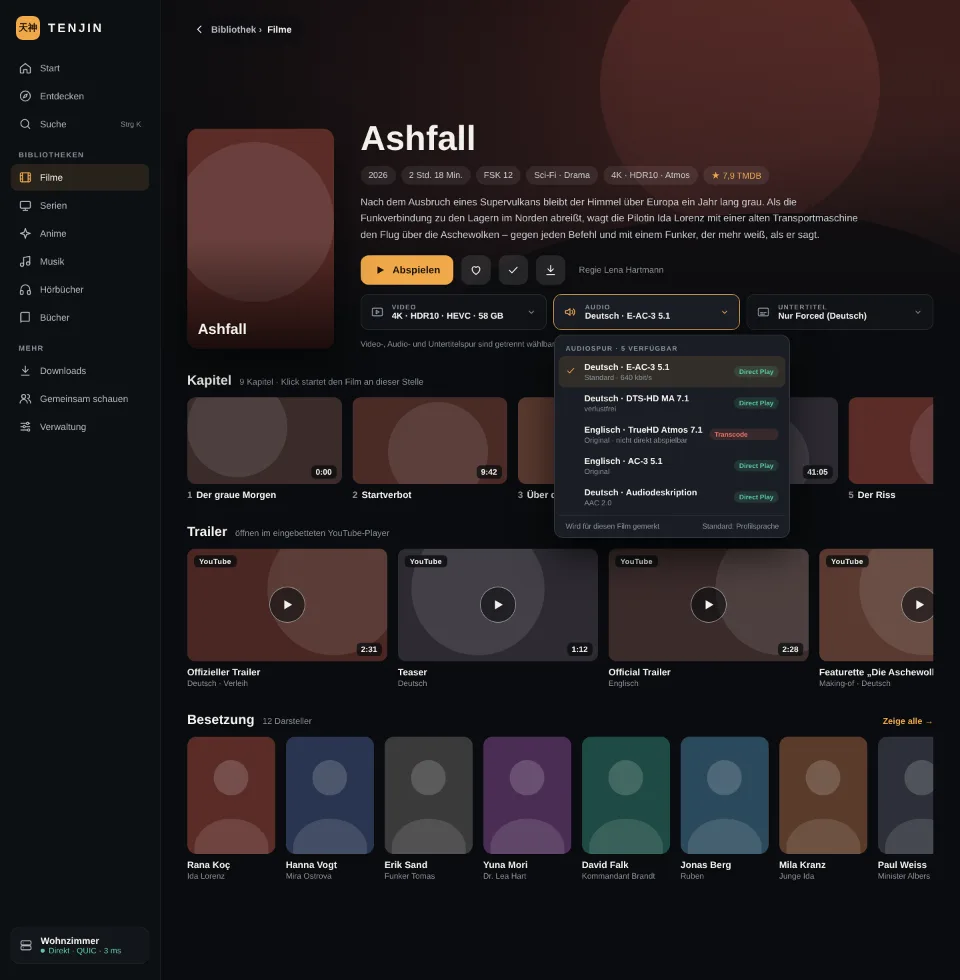
Movie detail Ashfall with play button, track selection for video, audio and subtitles, chapters, trailers and cast
Design previewMovie detail with audio track selection open
Series detail Glasstadt with continue watching, track selection, season tabs and episode list
Design previewSeries detail with season tabs and episode list

People and cast

Every person has a page with biography and the rows movies, series and guest appearances. Titles available on the server have a green frame; dashed cards lead to the metadata page with wishlist.
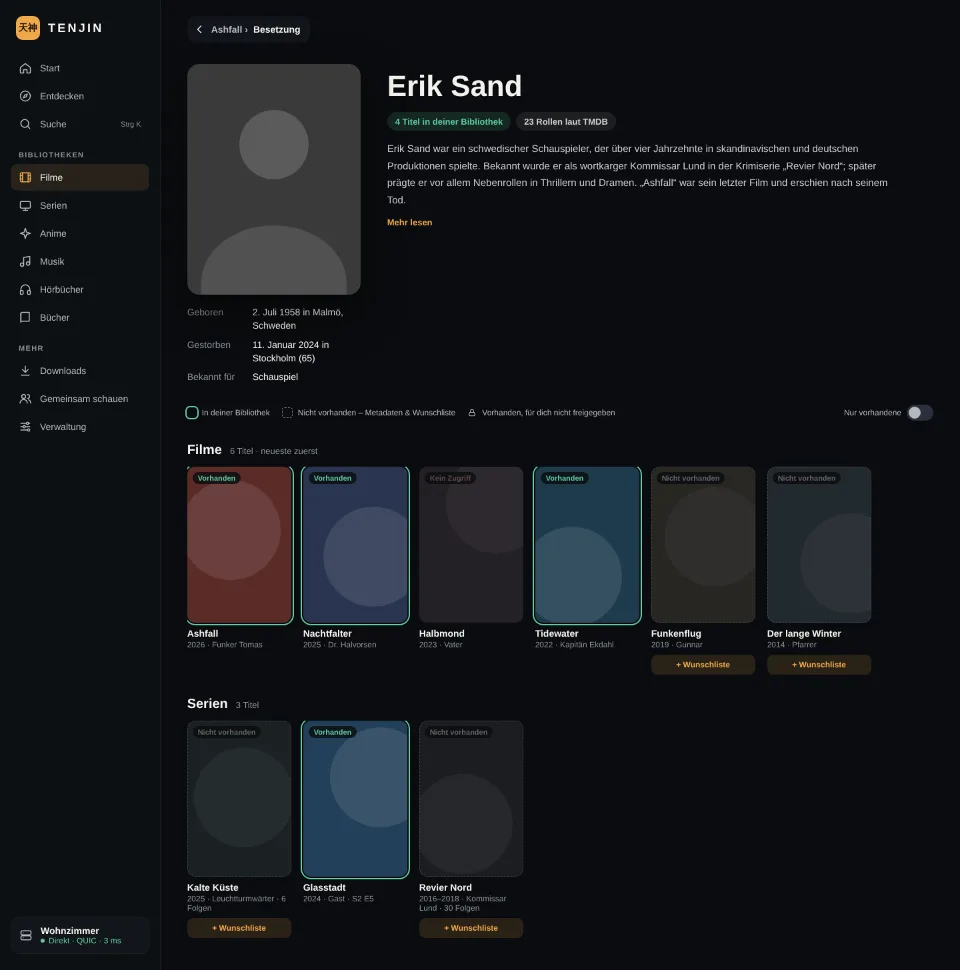
Person page with picture, biography and rows of titles, available ones framed in green
Design previewPerson page with movies, series and guest appearances

Administration inside the client

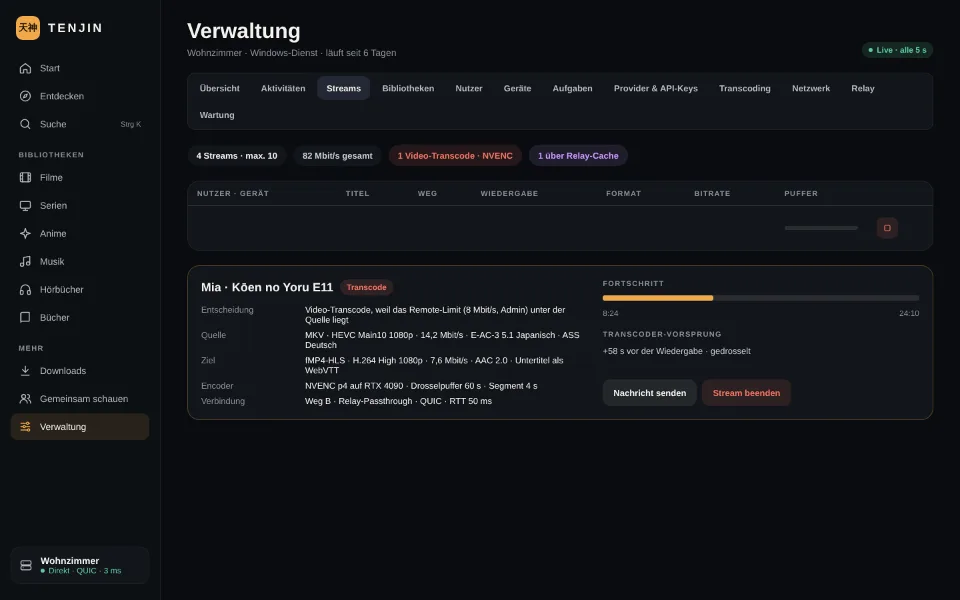
There is no web UI: streams, users, devices, libraries, tasks, providers, transcoding, network, relay and maintenance are managed in the client, from a tablet or phone as well. Everything that creates load is visible: running streams with their path (direct, relay passthrough, relay termination), direct play or transcode, bitrates and the upload balancer.
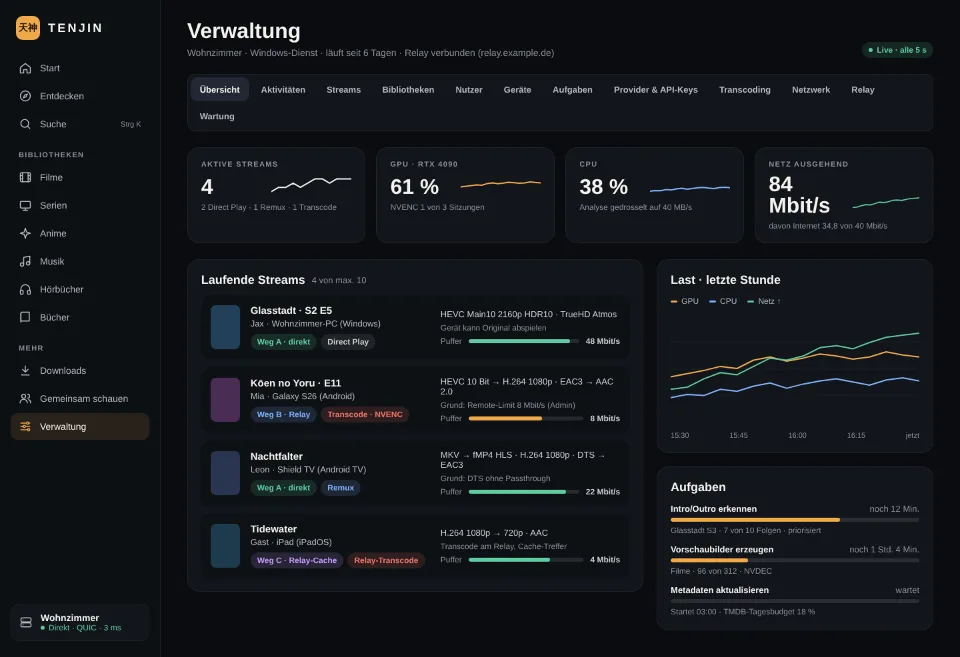
Administration overview with active streams, CPU load, internet upload and module tabs
Design previewAdministration: overview with key figures
List of active streams with user, device, path A, B or C, playback type and bitrate
Design previewStreams: path, direct play or transcode, bitrates
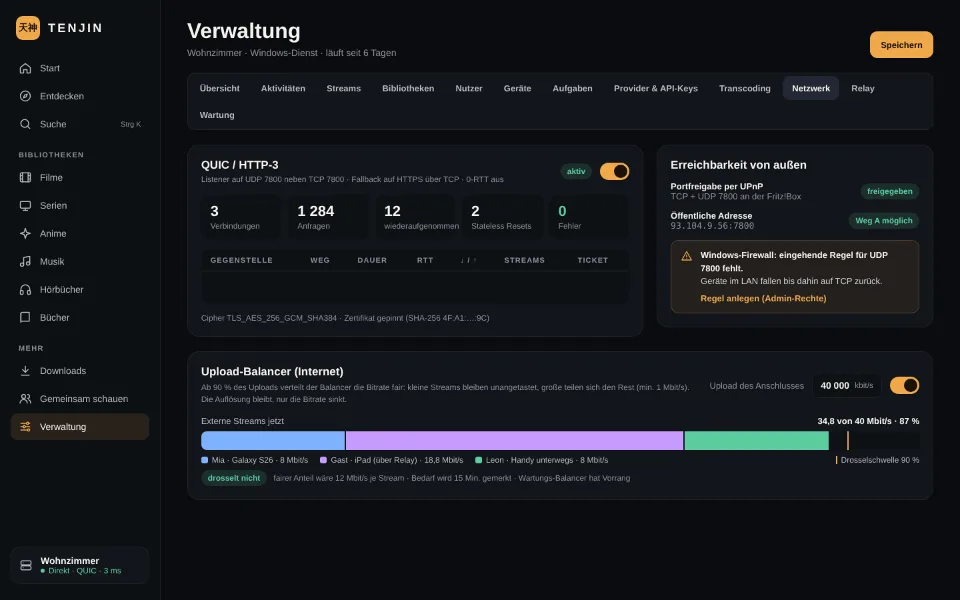
Network settings with QUIC switch, packet size, public address and upload balancer
Design previewNetwork: QUIC, reachability, upload balancer

All screens

10 screens
Tenjin home page on desktop: sidebar with libraries, hero for the series Glasstadt, continue-watching row
Design previewHome with hero and “Continue watching” row
Library view with filter and sort bar and a grid of posters
Design previewLibrary with filters and poster grid
Movie detail Ashfall with play button, track selection for video, audio and subtitles, chapters, trailers and cast
Design previewMovie detail with audio track selection open
Series detail Glasstadt with continue watching, track selection, season tabs and episode list
Design previewSeries detail with season tabs and episode list
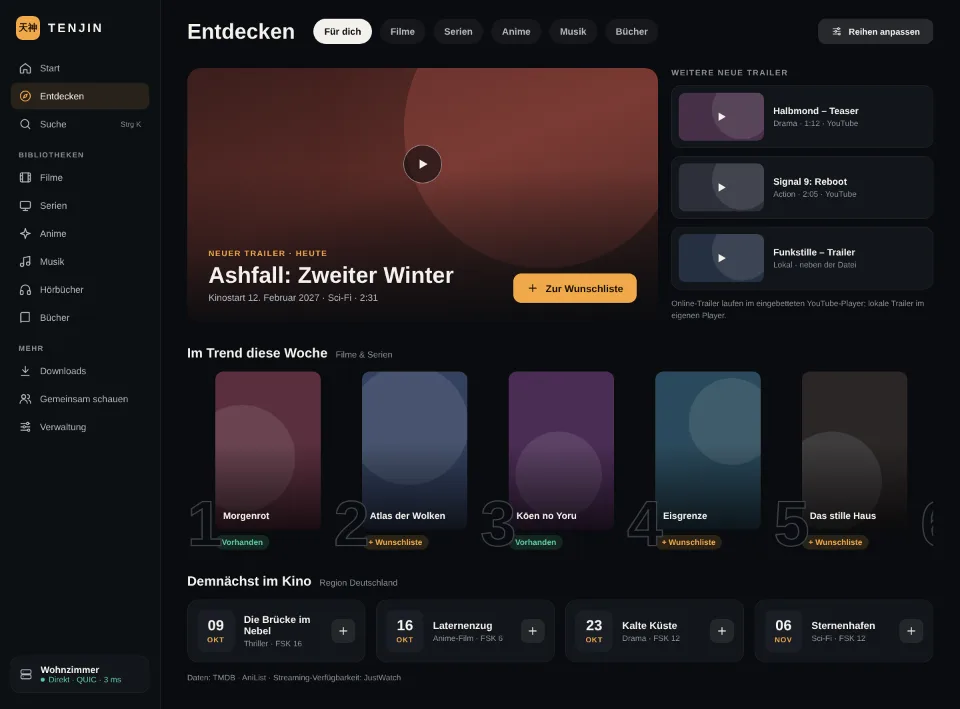
Discover page with trailer hero, trend row with rank and rows per streaming provider
Design previewDiscover: trailers, trends, streaming rows
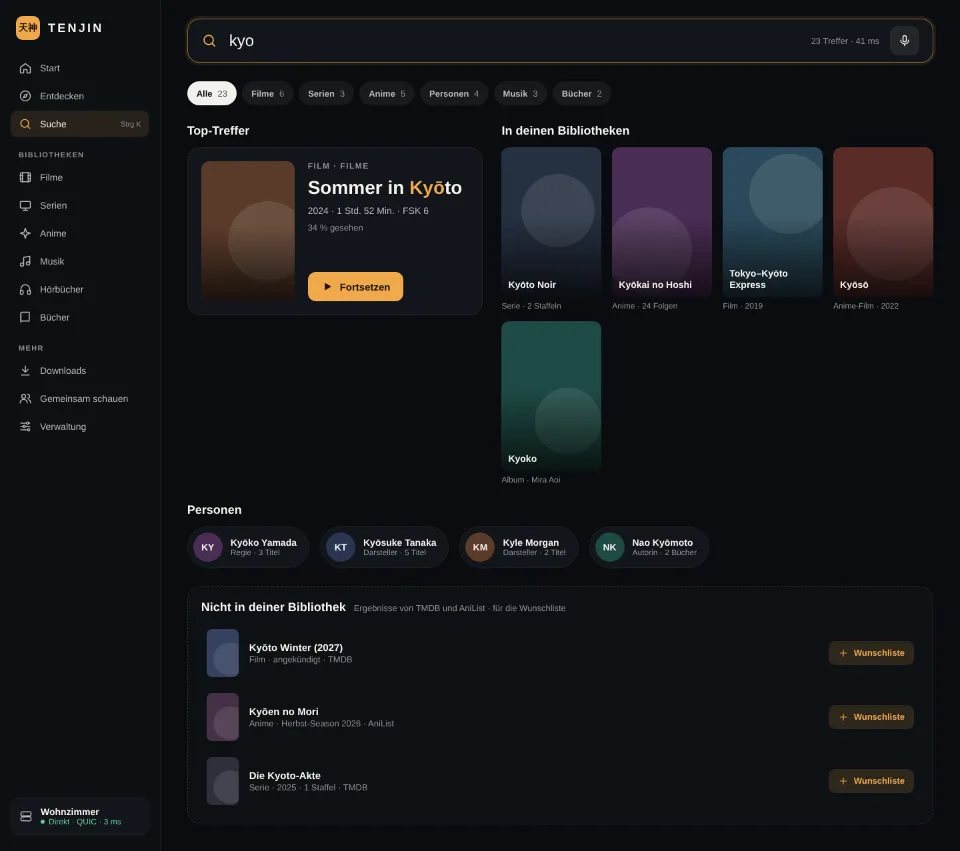
Search page with input field, filter chips and grouped results for movies, series and people
Design previewSearch: local and online
Person page with picture, biography and rows of titles, available ones framed in green
Design previewPerson page with movies, series and guest appearances
Administration overview with active streams, CPU load, internet upload and module tabs
Design previewAdministration: overview with key figures
List of active streams with user, device, path A, B or C, playback type and bitrate
Design previewStreams: path, direct play or transcode, bitrates
Network settings with QUIC switch, packet size, public address and upload balancer
Design previewNetwork: QUIC, reachability, upload balancer