
What Hiatus Remote does
Hiatus Remote connects two computers over the internet. One person, the supporter, sees and controls the screen of another, the partner. Added to that are a file browser with two panes, a remote shell, optionally the audio of the partner's computer and the clipboard. Everything is end-to-end encrypted. Not even the operator of the relay server can read along.
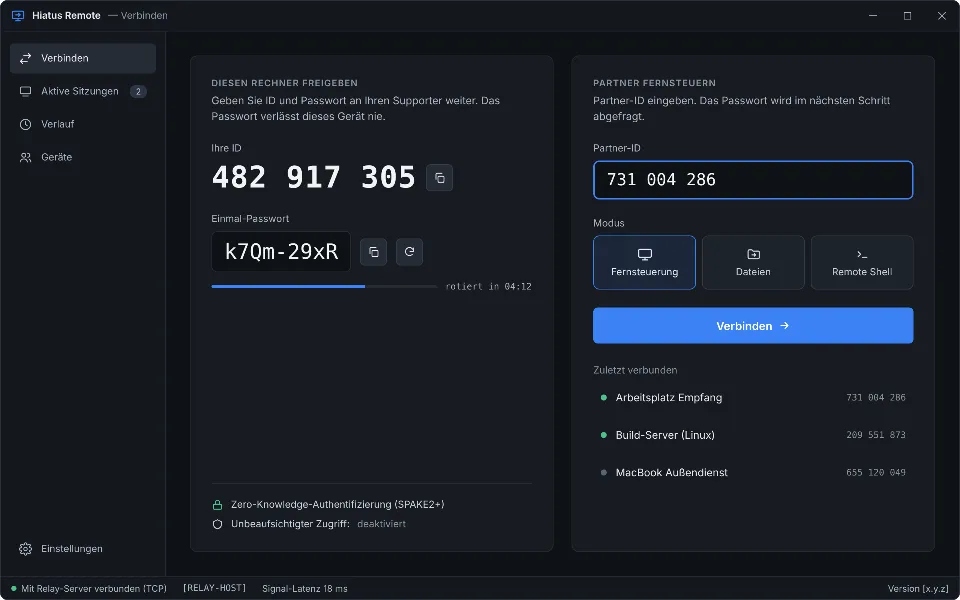
Every session starts with a nine-digit ID and a one-time password that the partner reads out over the phone. The password never leaves either device: the key exchange runs over SPAKE2+, the relay server only knows the IDs. After the handshake both sides show the same four fingerprint words. If they match, nobody is in between.
How a session works
- Connect. The supporter enters the partner ID and chooses the mode: remote control, files or remote shell. Hiatus then asks for the one-time password.
- Consent. The partner sees the request with the supporter's ID and the fingerprint words. They choose individually what to allow: view screen, mouse and keyboard, files, shell, audio, clipboard, tunnels, Android debugging. Everything except the screen is off by default.
- Work. Hiatus first tries a direct connection via UDP hole punching and QUIC. Only if that fails does the session run through the relay server, which forwards nothing but encrypted packets. If a session starts via the relay, Hiatus keeps looking for a direct path in the background and switches without interruption.
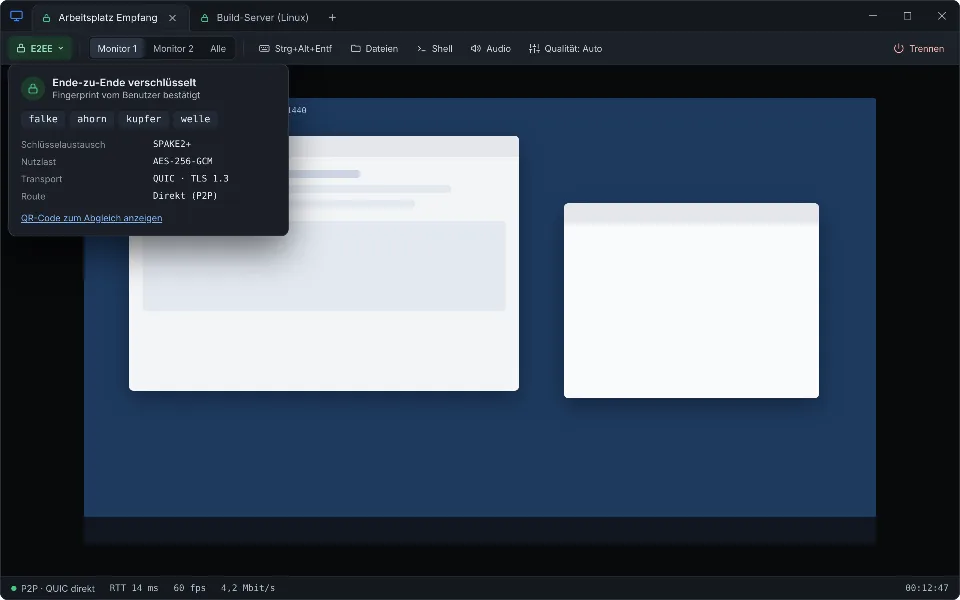
During the session a notice bar on the partner's computer shows who is accessing it. There, control, shell, audio or tunnels can be revoked individually at any time, or the session ended.
What Hiatus is for
- Support for family and company environments without screen contents or passwords passing through third-party servers.
- Maintaining your own computers, even when nobody is sitting in front of them: unattended access with a permanent password, an allowlist of permitted supporters and device key pinning. With the Hiatus service the computer is reachable right at the login screen.
- Development and troubleshooting: tunnels to services on the partner's computer, the Visual Studio Remote Debugger and debugging of Android devices with logcat viewer and remote control.
Your own relay server
The relay server assigns IDs, brokers connections and forwards packets when no direct connection can be established. It sees no contents. Operators set it up as a Docker image or Windows service; clients receive an access code with server address and SPKI pin. Connections inside your own network or VPN work without any relay at all.
Platforms
Client and service are available for Windows and Linux (X11); macOS will follow. The relay server runs on Linux (Docker) and Windows. The user interface is available in German and English.