
What Tenjin is
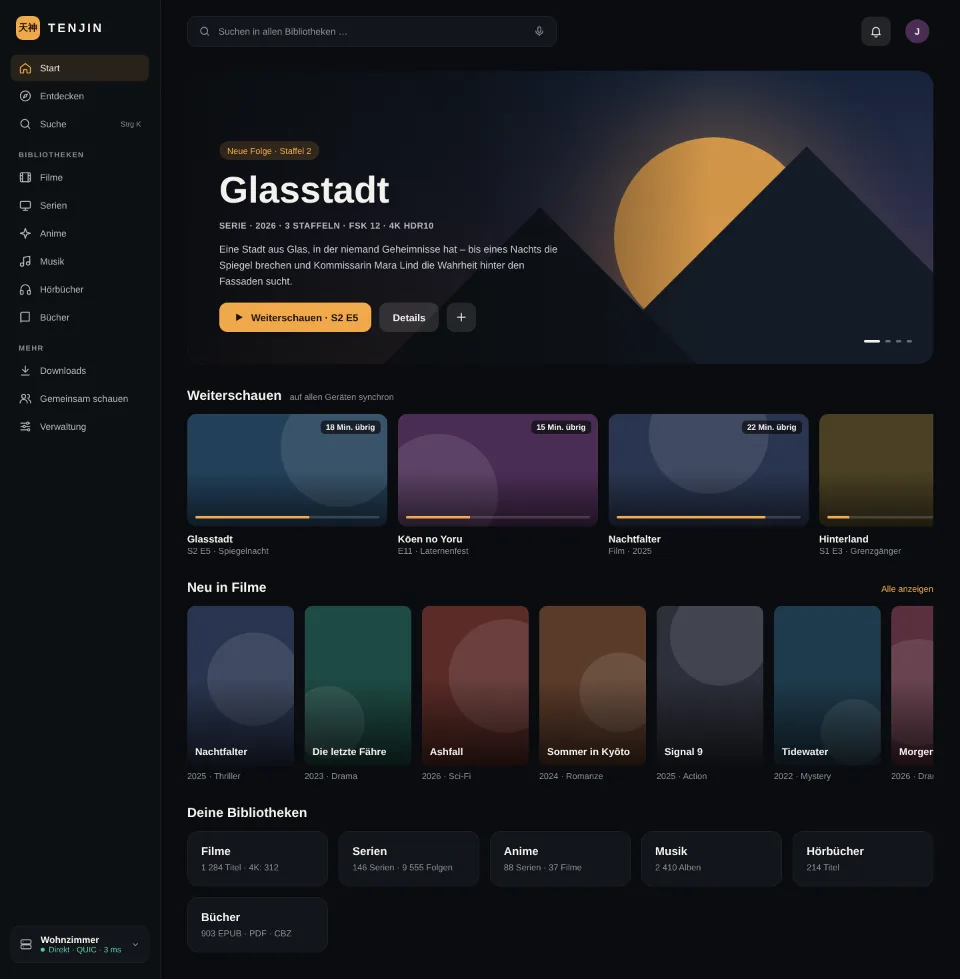
Tenjin is a self-hosted media server for movies, series, anime, music, audiobooks and books. It runs on your own computer or NAS, manages your libraries and your users, and it plays your files unchanged as often as possible: direct play before remux before transcode. There is no web UI. All clients are native programs with native players, for Windows, macOS and Linux as well as for Android phones, tablets, Android TV and Fire TV.
Three components, three paths
- The media server is self-sufficient. Accounts, permissions, progress and favourites live exclusively with it; it needs no account with anyone.
- The relay server is optional. It makes a server reachable from anywhere without port forwarding, brokers UDP hole punching and can join several media servers into one federation.
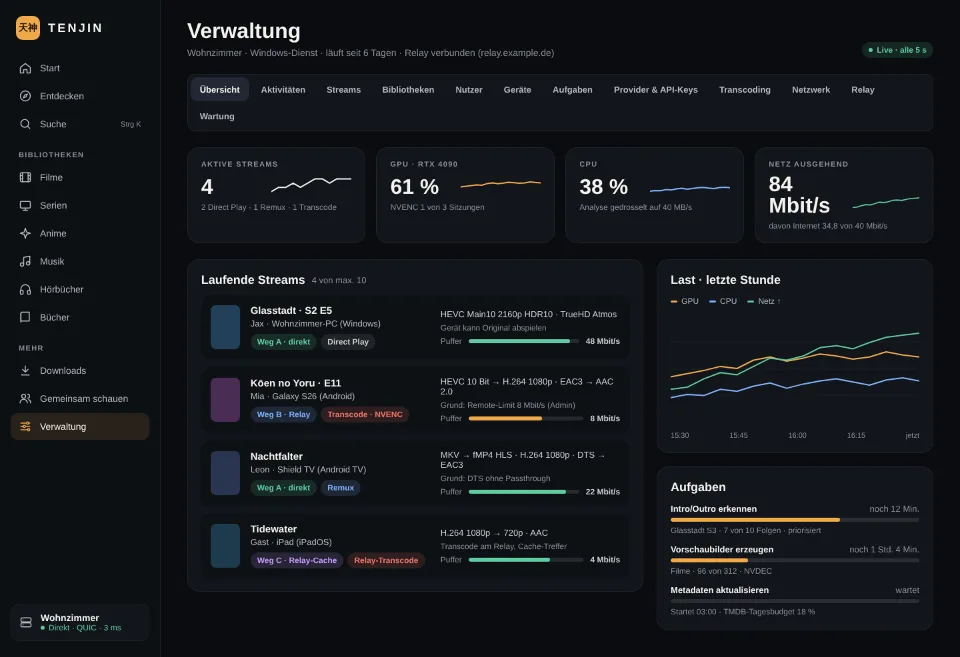
- The client connects directly first (path A, inside the LAN or after successful hole punching). If that fails, the relay merely forwards the encrypted packets (path B); it sees no contents. Path C, where the relay terminates the connection and may cache, has to be enabled explicitly by the administrator.
Password verification always runs end-to-end between client and media server, even via the relay. Every server owns its own key pair; clients pin it at the first pairing.
What you do with it
- Watch and listen on every device, with continue-watching across all devices and separate selection of video, audio and subtitle track before playback.
- Discover what is new: trailers, trends, rows per streaming provider and cinema releases. Anything already in your collection is marked; everything else goes onto the wishlist with one click.
- Search, locally first, then online at TMDB and OMDb, including people, casts and guest appearances.
- Administer right inside the client: libraries, users and permissions, devices, tasks, metadata providers, transcoding, network and relay. Everything that creates load is visible.
- Migrate from Plex or Jellyfin: libraries, users, progress and existing preview images are taken over, with a dry run before the import.
Operation
The media server runs on Windows as a service, on Linux as a Docker container or systemd service, later also on macOS and QNAP. Sources are local folders and shares in your own network (SMB, NFS, WebDAV); changes are detected in real time or by gentle polling. Transport is QUIC with TLS 1.3, falling back to TCP when UDP is blocked.
State of development
At version 0.1.0 Tenjin is a development build: server, relay and the first clients work, the database schema and the protocol may still change before 1.0. Suitable for test operation, not as the only copy of your media library.