Hiatus Remote

Remote support where the relay sees nothing. Screen, files, shell and audio, end-to-end encrypted.

Version 1.0.0-rc1 · Release candidate

Windows · Linux (X11) · macOS · Android debugging

Hiatus Remote main window: own ID, one-time password and connecting to a partner

The main window

On the left your own ID and the one-time password, which changes every ten minutes and after every session. On the right the partner ID, the mode (remote control, files, remote shell) and the most recently connected computers. The status bar shows the connection to the relay server.
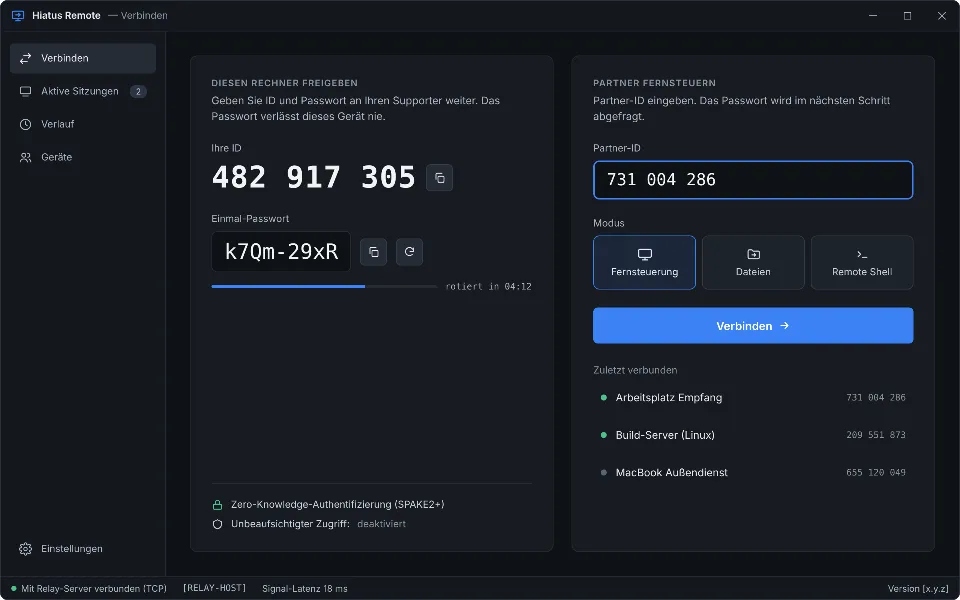
Hiatus Remote main window with the own ID 482 917 305, a one-time password and the partner ID field
Design previewMain window: own ID, one-time password, control a partner

Connecting and consenting

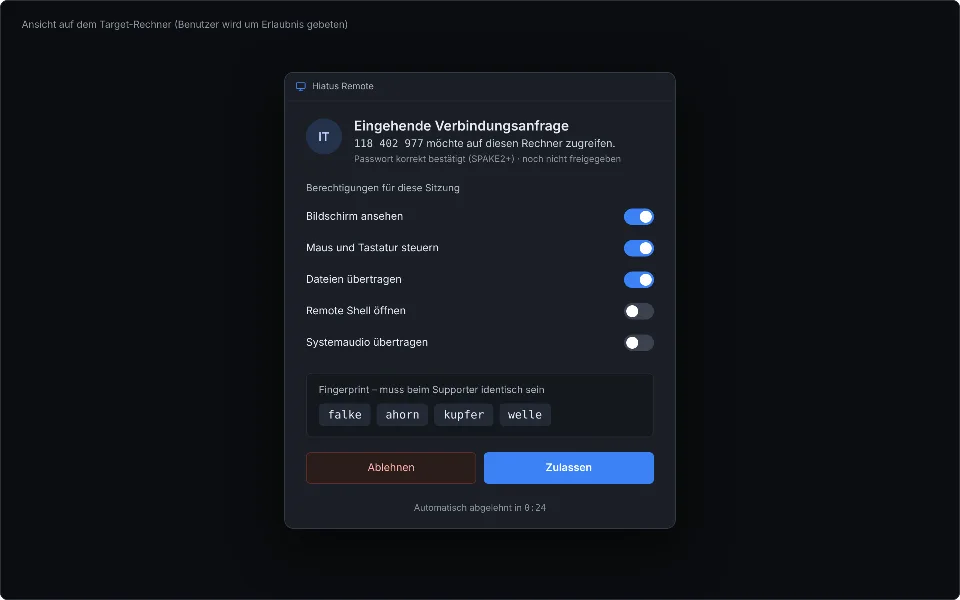
The supporter enters ID and password; the key exchange runs over SPAKE2+, the password never leaves either computer. The partner sees the request with four fingerprint words and chooses individually what to allow: screen, control, files, shell, audio, clipboard, tunnels, Android.
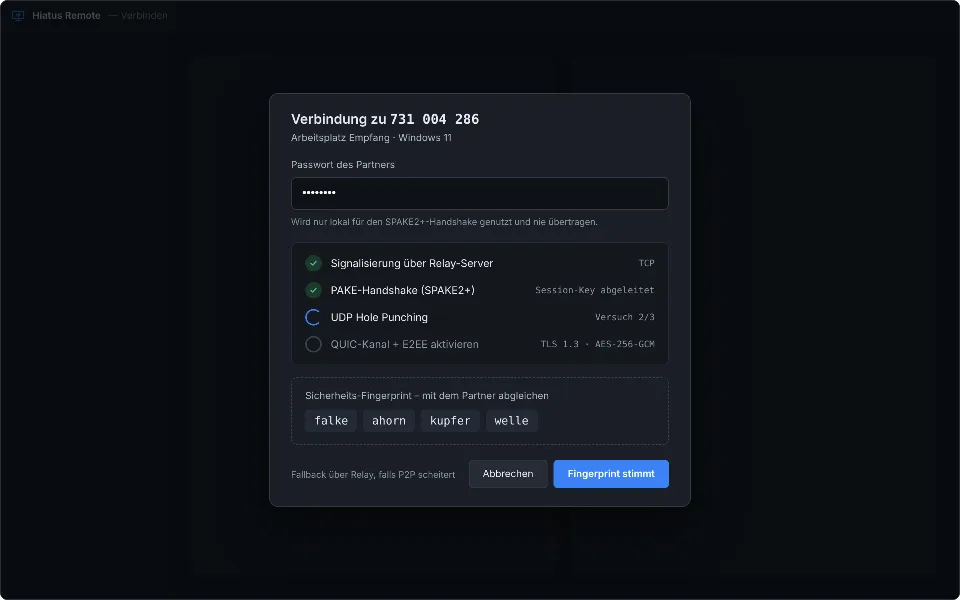
Hiatus Remote connection dialog with password field and four fingerprint words
Design previewConnecting with password prompt and fingerprint
Request dialog with supporter ID, fingerprint words and a list of permissions with switches
Design previewIncoming request: check the fingerprint, choose permissions

The session

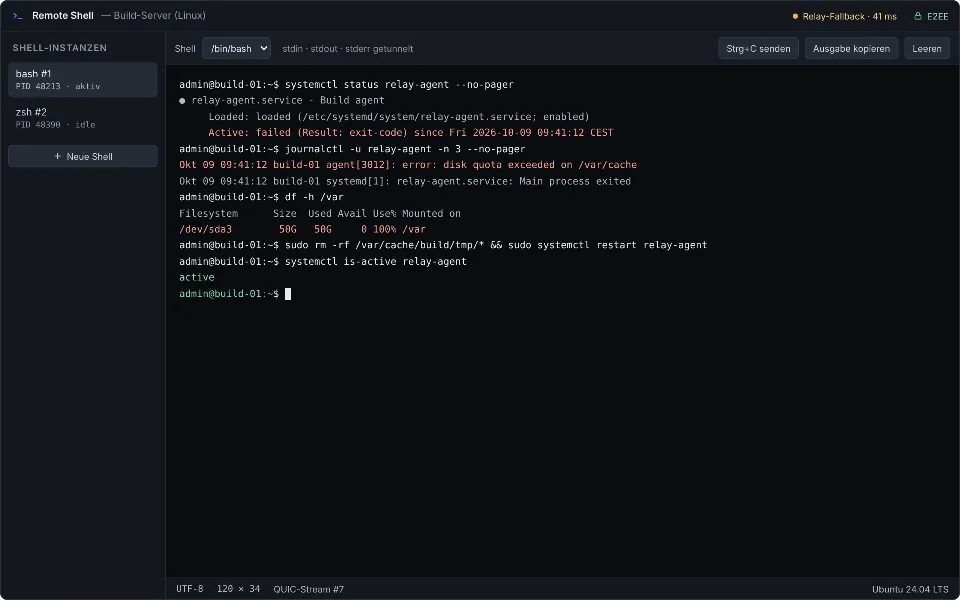
Every session is a tab. The toolbar offers monitor selection, Ctrl+Alt+Del, files, shell, tunnels, audio and quality levels; the status bar names the route (direct in the LAN, direct over QUIC or via the relay), round-trip time and frame rate. The remote shell opens PowerShell, cmd or the partner's login shell, up to four at once.
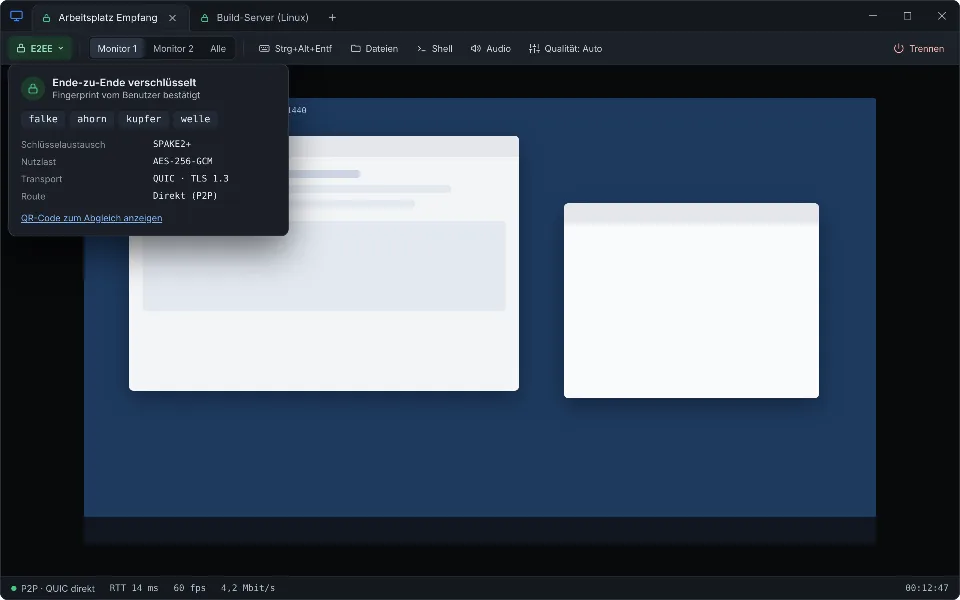
Session window with tabs, toolbar, end-to-end encryption notice and the partner's screen
Design previewSession with confirmed fingerprint and status bar
Terminal view of a remote shell inside the session
Design previewRemote shell on the partner's computer

Transferring files

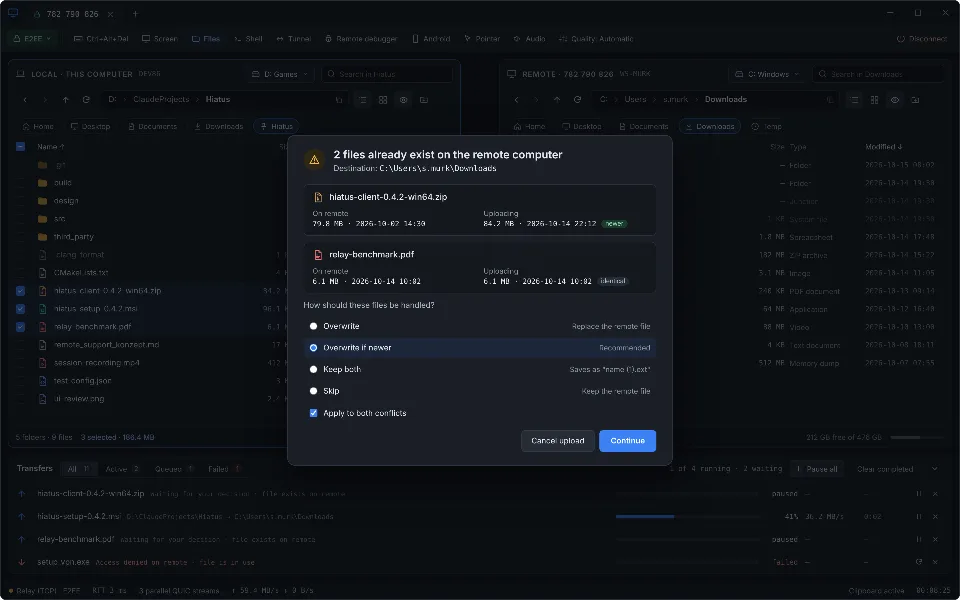
Two panes side by side: your own computer on the left, the partner on the right. Transfer by drag and drop or context menu, in both directions, with a queue and progress. If a file already exists, a conflict dialog asks per file whether to overwrite, skip or rename it.
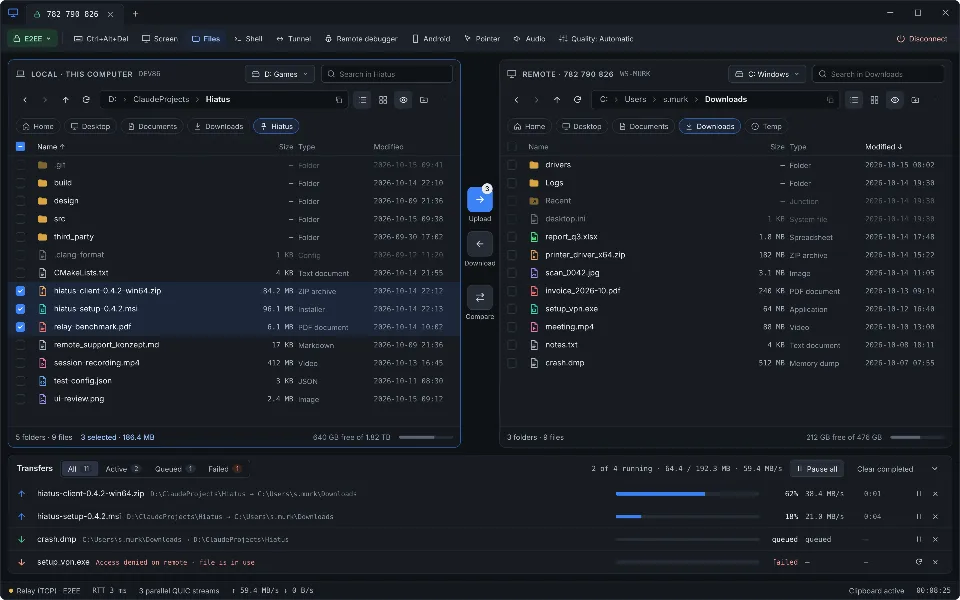
File browser: local files with multi-selection on the left, the partner on the right, running transfers below
Design previewFile browser with two panes and a queue
Dialog offering to overwrite, skip or rename a file that already exists
Design previewConflict dialog during upload

Devices and unattended access

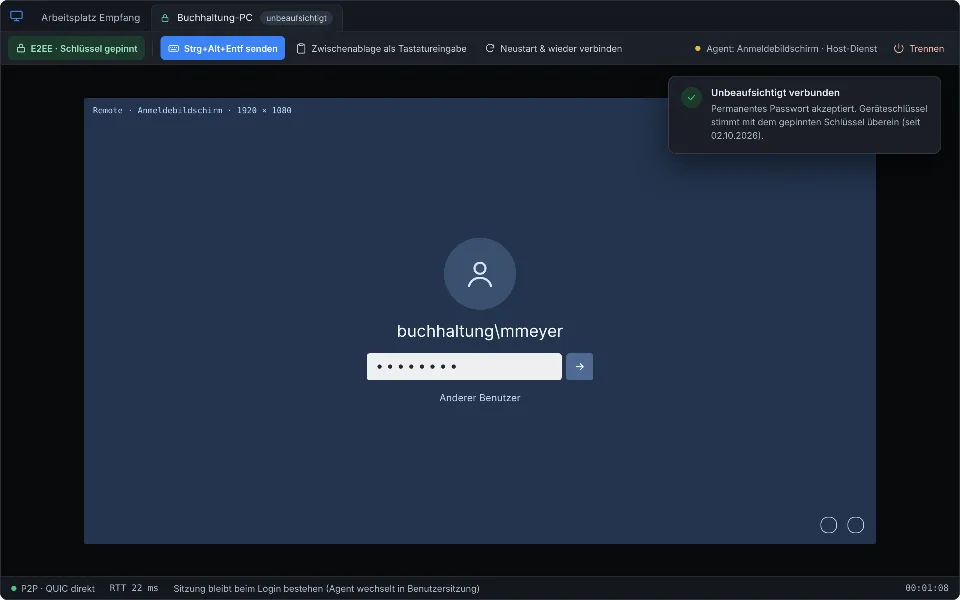
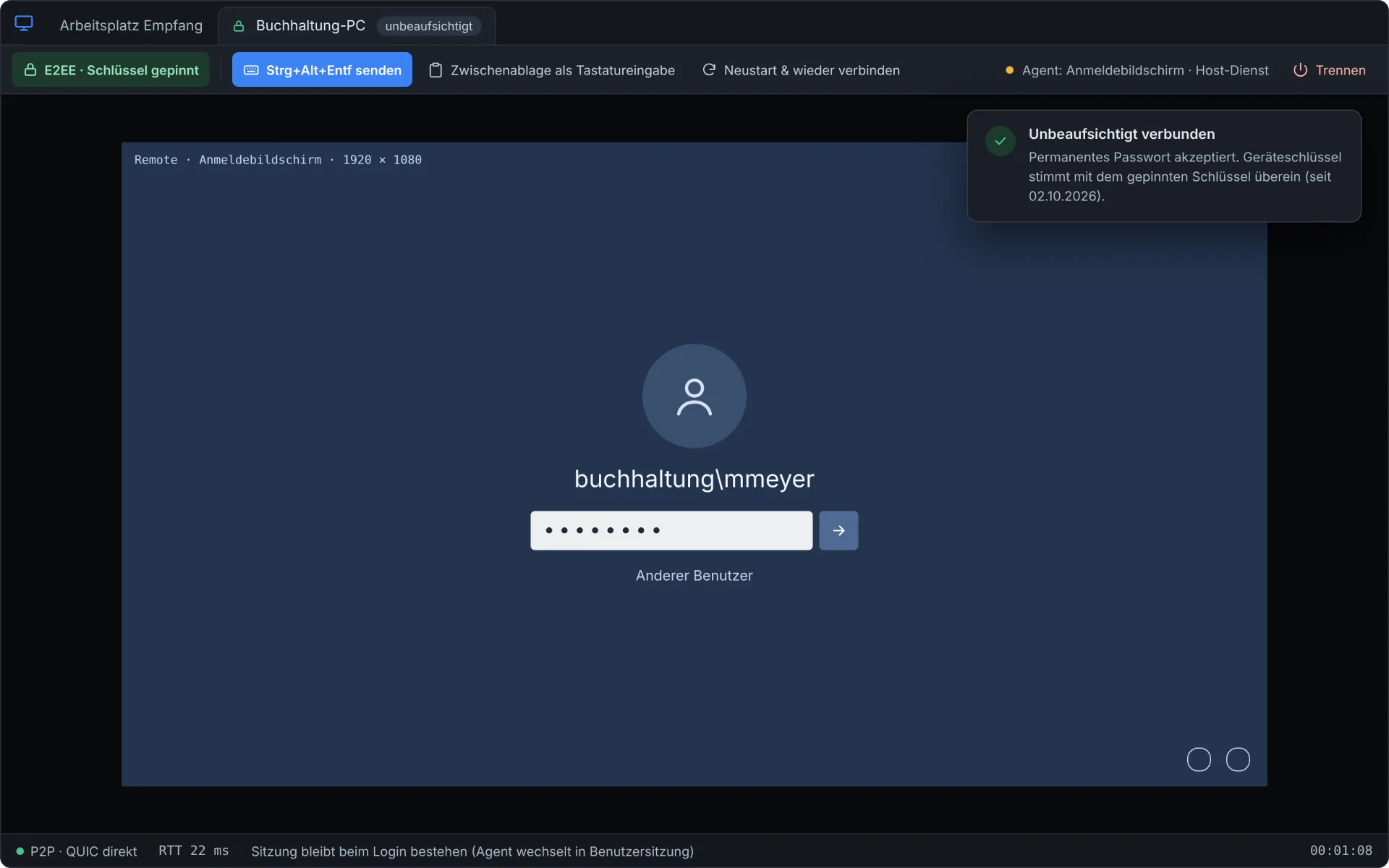
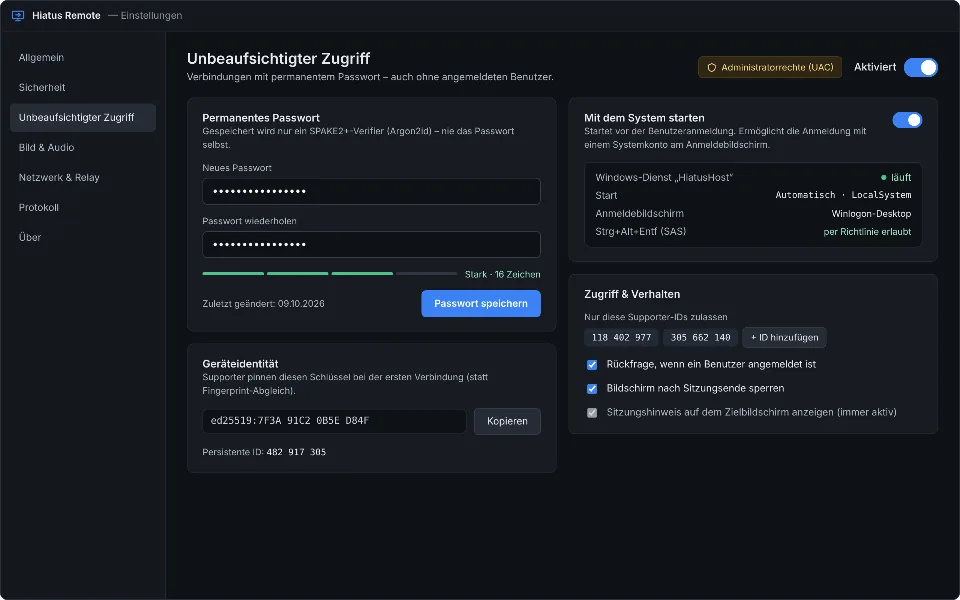
The device list remembers known computers by their device key; if a device shows up with a different key, Hiatus blocks the connection. Your own computers can offer unattended access with a permanent password (only an Argon2id verifier is stored), an allowlist of permitted supporters and selectable permissions. With the Hiatus service the computer is reachable even at the login screen.
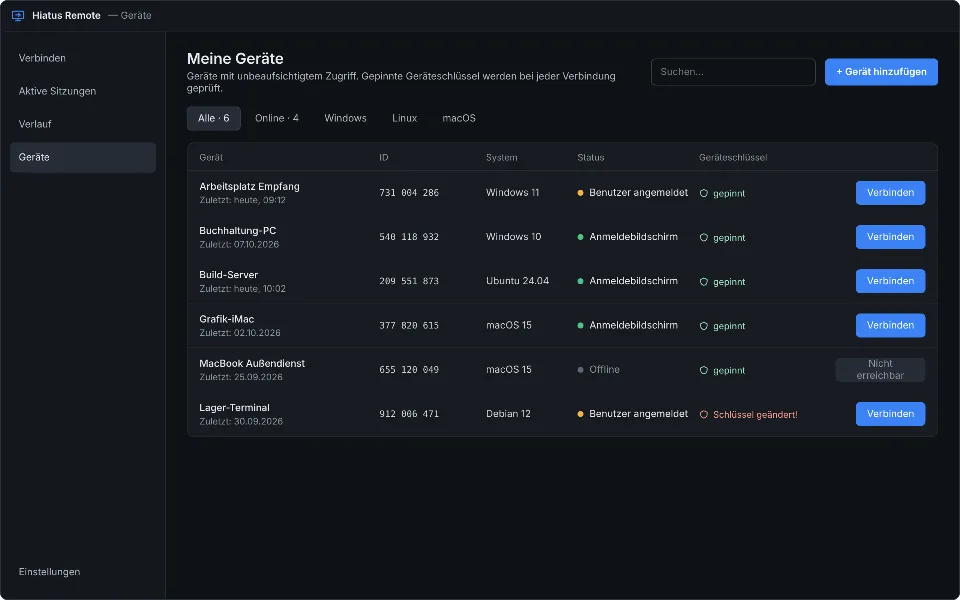
Device list with names, dates and the status confirmed or not confirmed
Design previewDevices: known computers with fingerprint status
Settings for unattended access with password strength, list of permitted supporters and permissions
Design previewUnattended access: permanent password and allowlist
Remote control of a computer showing the Windows login screen
Design previewSession at the login screen via the Hiatus service

Android debugging

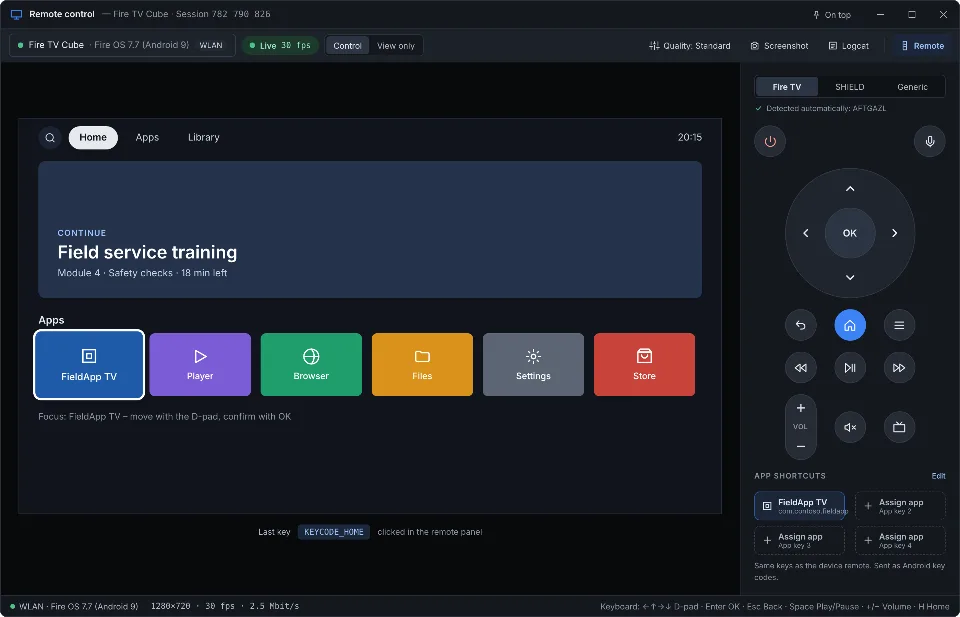
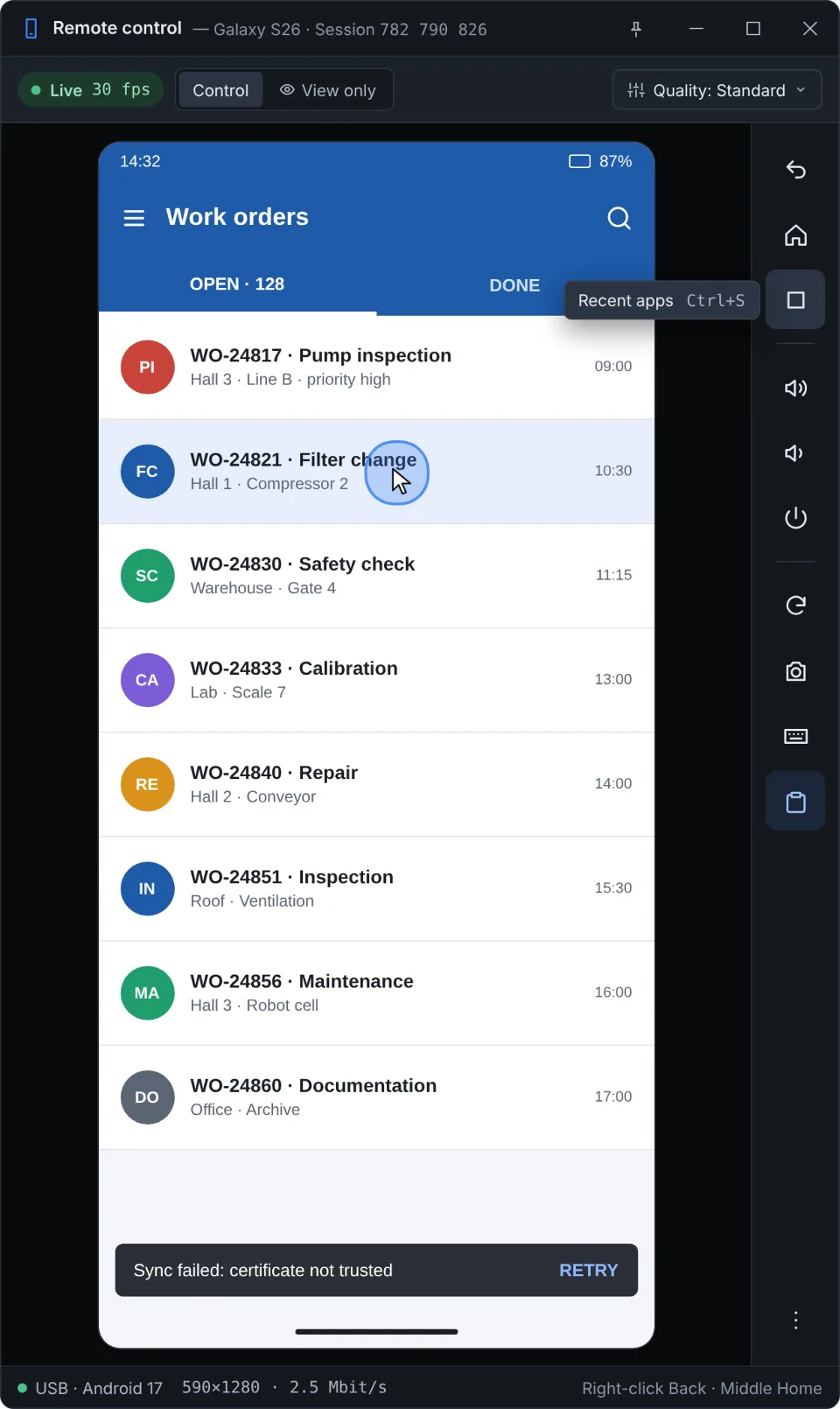
For developers: Android devices attached to the partner's computer (USB or Wi-Fi) can be debugged over ADB through the encrypted tunnel. The logcat viewer filters by tag, process and priority, keeps windows in place while scrolling and highlights stack traces. Smartphones and Android TV (Fire TV, SHIELD) can be remote-controlled with screen and keys.
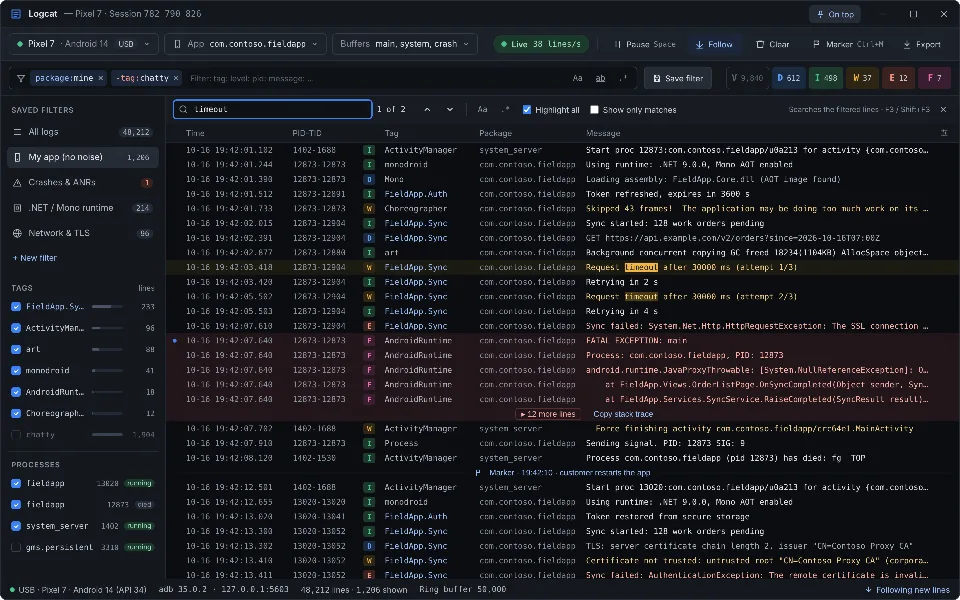
Logcat viewer with live stream, filter line, sidebar, search hits and a collapsed stack trace
Design previewLogcat viewer with filter line and search
Window for remote-controlling an Android smartphone with screen and key bar
Design previewRemote-controlling a smartphone
Window for remote-controlling an Android TV with remote-control keys
Design previewRemote-controlling Android TV

All screens

14 screens
Hiatus Remote main window with the own ID 482 917 305, a one-time password and the partner ID field
Design previewMain window: own ID, one-time password, control a partner
Hiatus Remote connection dialog with password field and four fingerprint words
Design previewConnecting with password prompt and fingerprint
Request dialog with supporter ID, fingerprint words and a list of permissions with switches
Design previewIncoming request: check the fingerprint, choose permissions
Session window with tabs, toolbar, end-to-end encryption notice and the partner's screen
Design previewSession with confirmed fingerprint and status bar
Terminal view of a remote shell inside the session
Design previewRemote shell on the partner's computer
File browser: local files with multi-selection on the left, the partner on the right, running transfers below
Design previewFile browser with two panes and a queue
Dialog offering to overwrite, skip or rename a file that already exists
Design previewConflict dialog during upload
Device list with names, dates and the status confirmed or not confirmed
Design previewDevices: known computers with fingerprint status
Settings for unattended access with password strength, list of permitted supporters and permissions
Design previewUnattended access: permanent password and allowlist
Remote control of a computer showing the Windows login screen
Design previewSession at the login screen via the Hiatus service
Logcat viewer with live stream, filter line, sidebar, search hits and a collapsed stack trace
Design previewLogcat viewer with filter line and search
Window for remote-controlling an Android smartphone with screen and key bar
Design previewRemote-controlling a smartphone
Window for remote-controlling an Android TV with remote-control keys
Design previewRemote-controlling Android TV
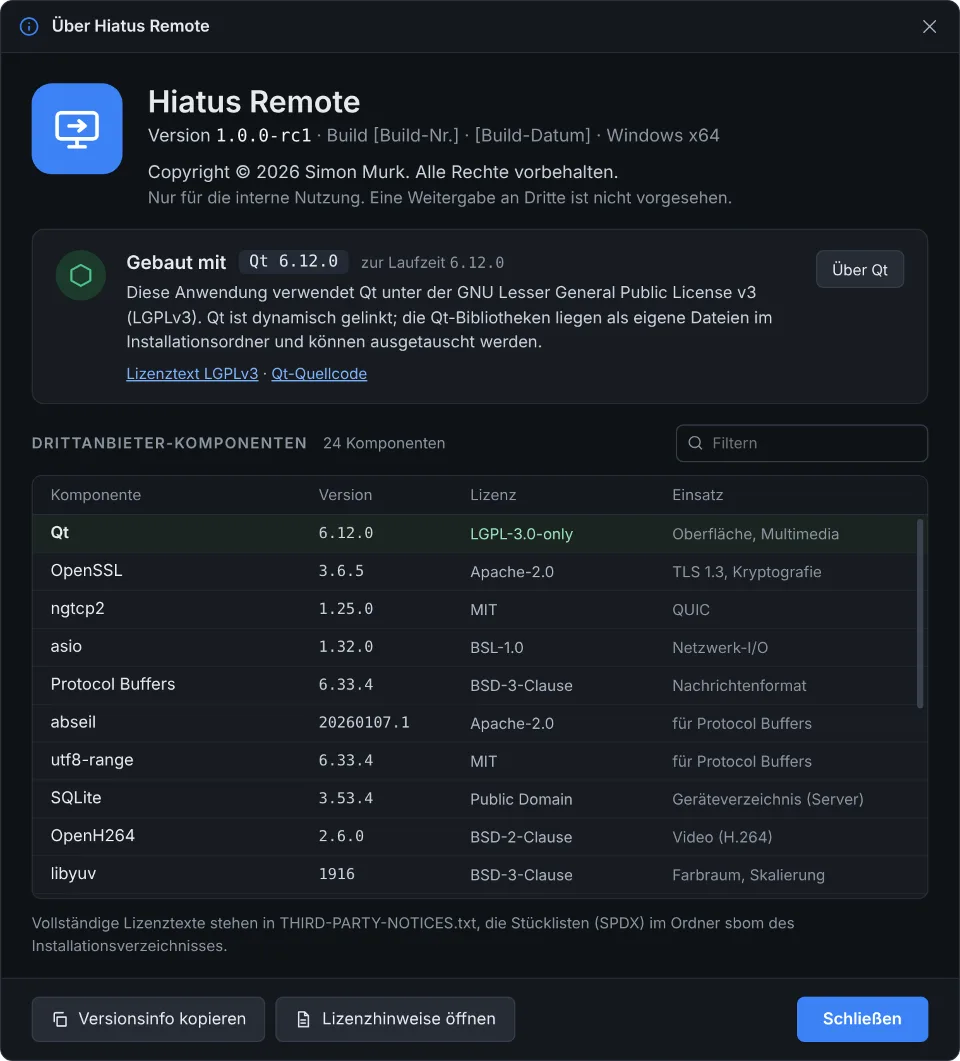
About Hiatus Remote dialog with version, copyright, Qt notice and table of third-party components
Design previewAbout Hiatus Remote: version, Qt license, third parties